KEMIQU


Repairs & Customers
Queue, technicians, work status, payments, warranty and customer history in one flow.
KEMIQU brings together point of sale, repairs, stock, investors, BRILink and reports for every branch. It now comes with an Android app so customers can book repairs, check status and browse products from their phones.
Every module is connected, so data is never entered twice and profit figures are always clear.
Queue, technicians, work status, payments, warranty and customer history in one flow.

Sell accessories, spare parts and devices at customer and shop prices, with stock per branch.

Track LCD and battery capital, the investor profit share, the shop share and technician earnings transparently.

Manage transfers, cash withdrawals, PPOB, accounts, balances, admin fees and net service profit.

One owner account for every branch. Each branch keeps its own data, with a combined report on the dashboard.

Owner, admin, cashier, technician, warehouse and investor only see the menus and figures for their role.

Repair-ready reminders and report summaries to the owner through official channels. Optional, needs activation.

Ask about devices, shop services and daily work. Report figures always come from your own data.

Each shop can have its own page with services, opening hours and a Google Maps location, published right away.
One workspace for owners, cashiers and technicians. Click an image to see it full size.
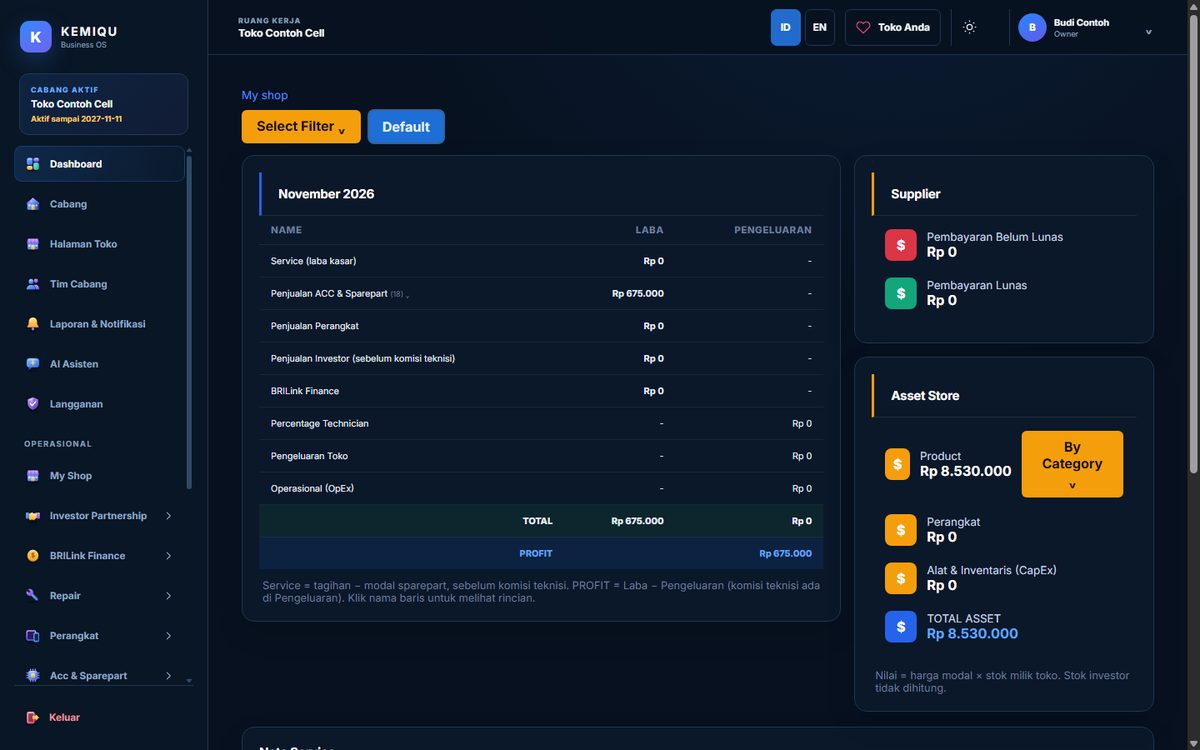
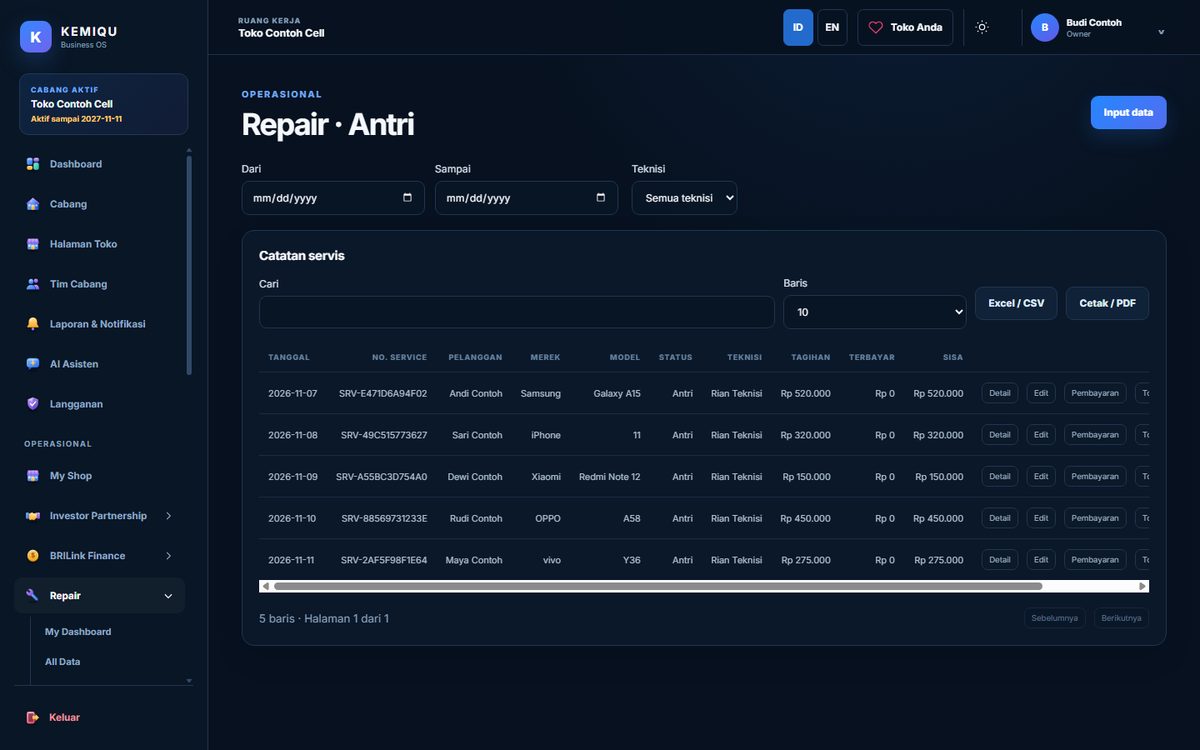
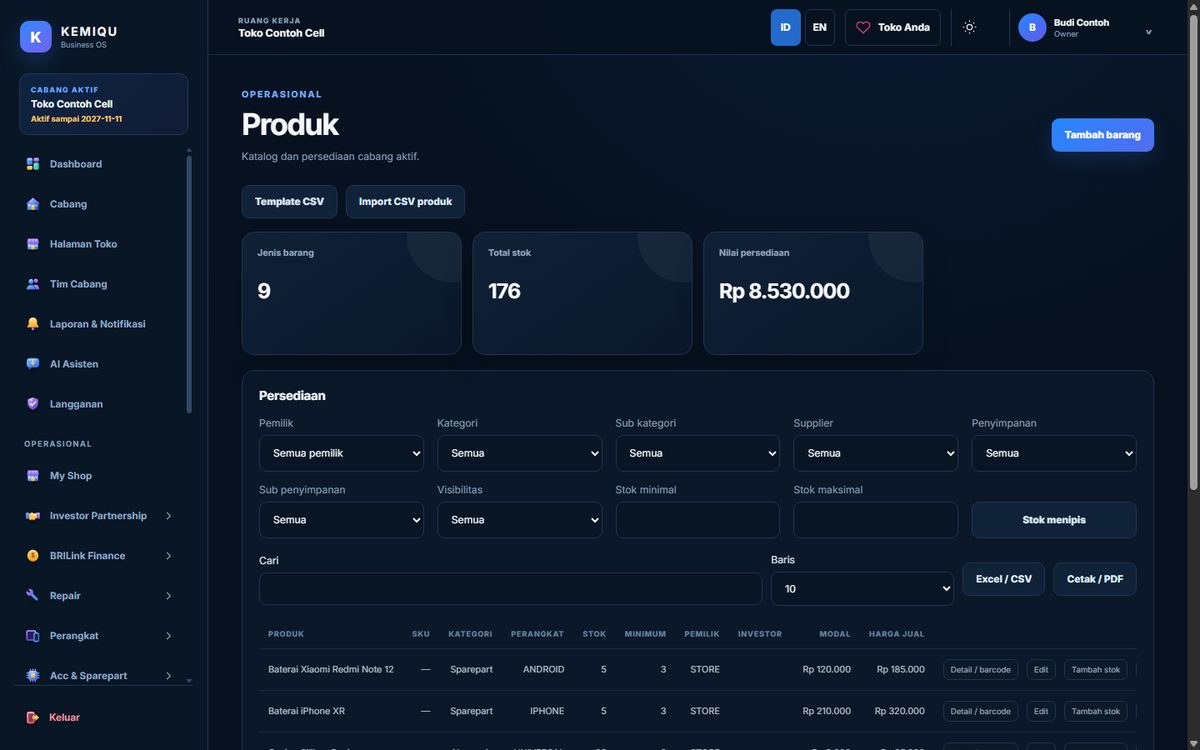
Examples use a fictional shop. Customer names, items and figures are for illustration only.
Create an owner account, enter the shop and branch names, then add cashiers and technicians.
Repairs, sales, expenses and BRILink are entered once and flow into the books automatically.
See net profit, technician commission and investor shares any time from your phone or computer.
Customers no longer need to visit just to ask. They can book repairs, follow progress and browse products right in the app.
Version 1.0.3 · about 80 MB · for Android phones. Installed from an APK file, no Play Store needed.
Try KEMIQU for your business, then pick the subscription length that fits best.
Choose a plan when you sign up. Payment and activation are confirmed by the KEMIQU team.
We use KEMIQU every day to run our own shops.
The team behind KEMIQU also takes on projects for your business. Free consultation, pricing based on your needs.
A promo page or business website that loads fast on phones, linked to WhatsApp and Google Maps, ready to share on social media and in ads.
Order via WhatsApp
A product catalogue with photos and prices; buyers order straight through your WhatsApp. Great for phone shops, food, fashion and other small businesses.
Order via WhatsAppPromote your business in the scrolling bar on this page, on artikel.kemiqu.com, and on the Facebook pages of the KEMIQU article network.
Ask about ad slotsPractical ways to organise repairs, stock, profit and branches, with or without KEMIQU. The guides are in Indonesian.
What to record when a phone comes in and how to use queue statuses.
Revenue, gross profit and net profit, plus the costs that are often forgotten.
Minimum stock, supplier purchases and inventory value.
Recording investor-owned stock and sharing the proceeds fairly.
Keeping branch data separate and giving cashiers, technicians and warehouse staff the right access.
Setting warranty periods and recording claims properly.
The web app is for owners, admins, cashiers, technicians and warehouse staff to run operations and bookkeeping. KEMIQU Mobile is for shop customers: book repairs, check status and browse products.
Yes. Products, stock, repairs and transactions are stored separately per branch. Owners can see a combined summary on the dashboard.
Open this page on your phone and tap Download Android APK (or scan the QR code from a computer screen). Open the downloaded file, allow installs from this source if your phone asks, then tap Install. To update, download and install again from this page; your account data stays safe.
Yes. New accounts can try it free for 1 week, then choose a 1 month, 6 month or 1 year plan.
The User guide button in the top menu opens the usage guide for each role (Owner, Cashier, Warehouse, Technician, Investor), readable online or downloadable as a PDF. The guide is currently in Indonesian.